
Avatars & voices
Avatars
An avatar is a likeness plus a baked idle loop (what it does while listening) and, optionally, baked gestures such as a wave. Each avatar is bound to an engine; the engine is derived from the avatar, so visitors never see a mismatch.
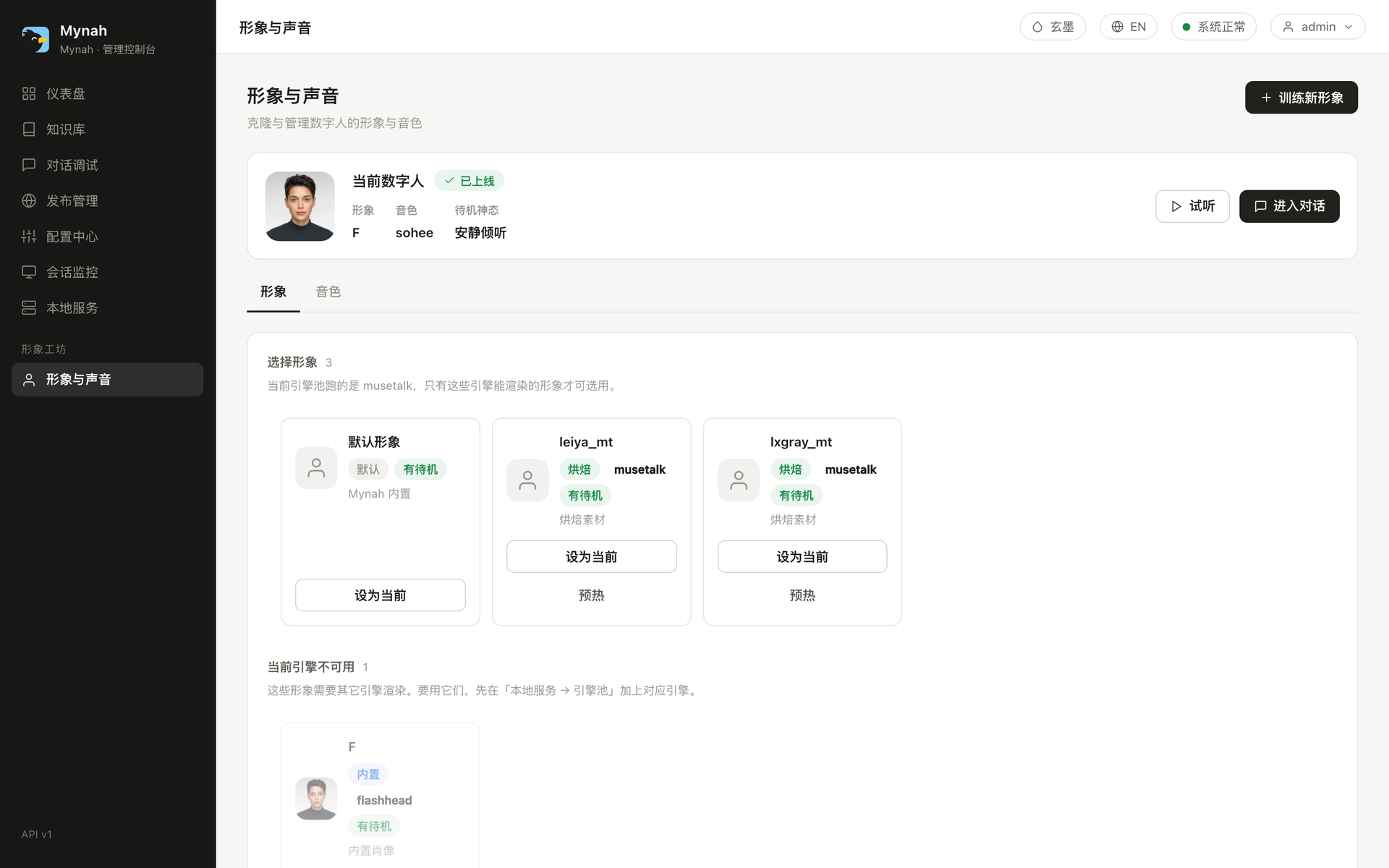
Built-in avatars
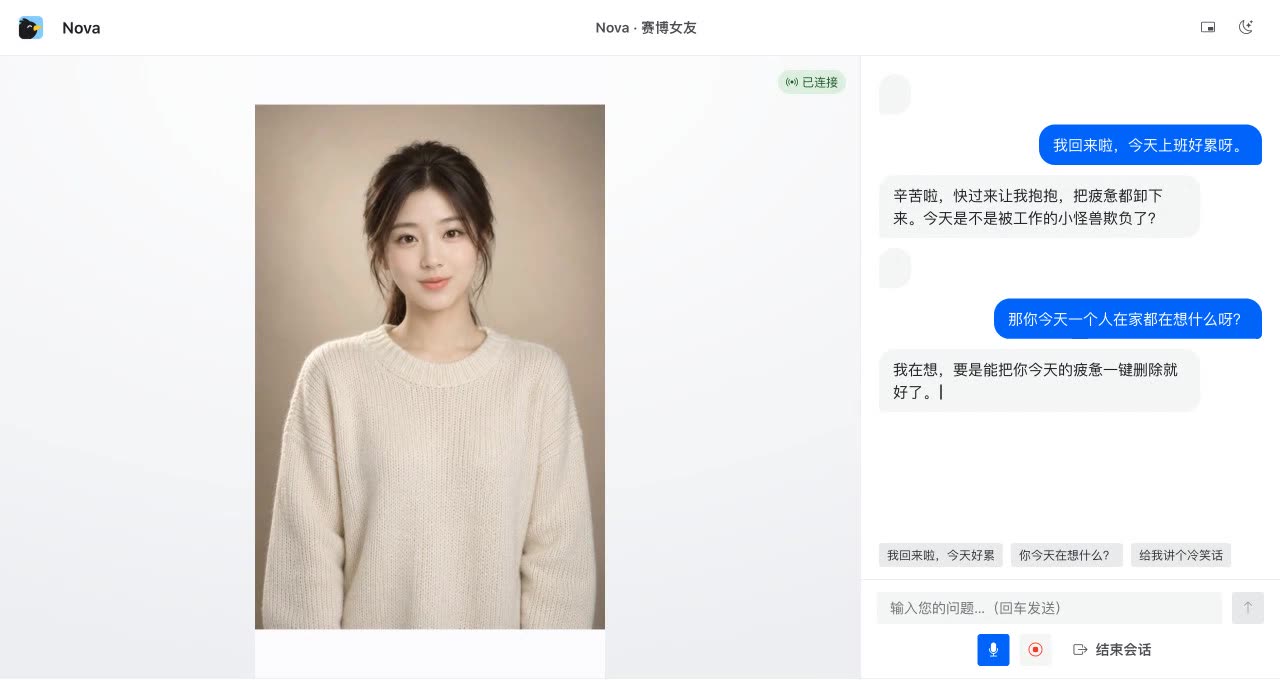
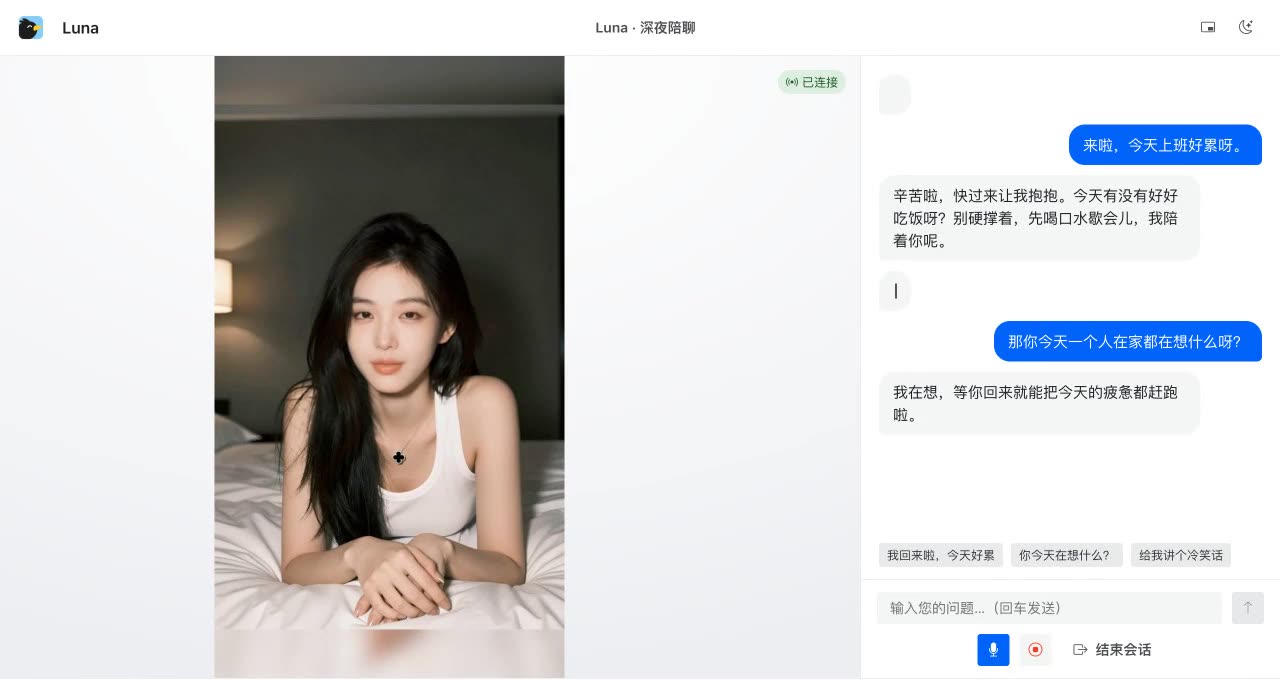
The repo ships a default portrait, a baked default avatar, and three FlashHead portrait presets (F, Nova and Luna) so the first run shows a face without any upload. FlashHead needs only a single portrait, which is why adding a preset is one file plus one line in internal/avatarcatalog. Nova and Luna are shipped as half-body presenters: FlashHead still renders a 512 face, and the worker pastes it back onto a 720×1280 head-to-waist canvas at the exact crop box (workers/avatar/halfbody.py builds the canvas, bbox and blend mask), so you get a half-body figure from a head-only model (Luna is the same recipe in a night-time indoor look). The half-body pipeline is prepare → recrop (loosen the crop so the whole head moves) → blend, then bake an idle from the console. The console lists them with their engine tag. Selecting one as current takes effect immediately for new sessions.
Bake your own from a video
- Record 10–20 seconds of the person talking to camera: frontal, even light, mouth visible, no hands in front of the face. Phone video is fine.
- 形象与声音 → 上传说话视频. The pipeline resamples to 25 fps, extracts frames, scores them for a closed-mouth frontal sharp "speaking base", runs face alignment with MediaPipe (no InsightFace, so the chain stays commercially clean), and bakes the engine-specific assets.
- Watch the job in the same page; on success the avatar appears in the list, no restart.
- Optionally bake an idle loop from the same material so the avatar breathes and blinks instead of freezing between answers.
Baking is a one-shot GPU job that needs 4–5 GB of VRAM. On a full pool it will fail with OOM; the console tells you to stop one worker first.
Consent. Training a likeness of a real person requires that person's permission. The upload form includes a consent confirmation and the policy is documented in Compliance.
Engines
| Engine | Look | VRAM | Notes |
|---|---|---|---|
| wav2lipLS 384 | half-body, crisp mouth | ≈ 2 GB | lightest, runs on 6 GB cards |
| MuseTalk 1.5 | half-body, smooth | ≈ 7.7 GB | best tolerance to varied source material; bbox_shift knob for mouth opening |
| FlashHead | head-and-shoulders close-up, diffusion | ≈ 6.6 GB | highest fidelity for close framing |
Mixed pools are supported: one GPU can run MuseTalk for half-body avatars and FlashHead for close-ups, dispatching by avatar. See Hardware and the engine pool design.
Preload
Loading an avatar into a worker takes seconds. 预热 (preload) does it ahead of time for the avatars your channels use, so the first visitor does not stare at a black frame.
Gestures
Avatars can carry one-shot clips (today: wave). Visitors get a button; integrators get POST /action; agents get the mynah_action tool in the DeepSeek Harness plugin.
Voices
Which voices appear depends on the TTS tier in 配置中心 (see TTS tiers):
- EdgeTTS (default): hundreds of Microsoft neural voices. The list is cached and a featured set is pinned to the top (
zh-CN-XiaoxiaoNeural,zh-CN-YunxiNeural,en-US-AriaNeural, …). Speed is adjustable; style instructions are ignored. - Qwen3-TTS (local vLLM-omni): built-in voices plus voice cloning from a short reference clip. Upload in the Voices tab, the console transcribes the reference for you, and the new voice shows up in every dropdown. A per-voice seed keeps the timbre stable across sentences; style instructions ("更沉稳") are honored.
- Qwen realtime brain: when the conversation brain is set to Qwen realtime, speech is synthesized in the cloud and the voice dropdown shows the cloud voices instead.
Every dropdown has a 试听 button that synthesizes a sentence through the live configuration. Channels freeze the voice they were published with, so changing the console voice does not change a live channel until you republish.